A Focus App for iPhone That Works With Screen Time, Not Around It
iOS is not Android with a different logo. Apple keeps a tighter grip on what any third-party app, including a focus app like Nurrow, is allowed to see and control on your phone. That's a deliberate privacy and security tradeoff, and it's worth understanding honestly rather than glossing over, because it changes what "blocking distractions on iPhone" can actually mean in practice.
Nurrow is available now on iPhone, and it does real, useful work there: a website blocklist during focus sessions, a stricter Deep Work mode, and the same pet collection and streak system that drives the rest of the app. But it works within Apple's rules, not around them, and the honest version of that story is more useful to you than a page that pretends iOS and Android behave the same way.
What iOS Actually Lets a Third-Party App Block
Android gives apps an accessibility layer that can, with your permission, monitor and interrupt activity across the entire phone. iOS doesn't offer that same reach to ordinary apps. Apple sandboxes every app, including Nurrow, so it can't inspect what other apps are doing or reach into Safari and other browsers the way a system-level tool can. That's not a Nurrow limitation, it's how every third-party app on iOS works, by design.
Deeper, system-wide restrictions on iOS live behind Apple's own Screen Time framework: App Limits, Downtime, and Communication Limits, plus the Family Controls and DeviceActivity APIs that let an app plug into that framework in narrow, permission-gated ways. Nurrow's website blocklist and Deep Work mode operate within what Apple allows a focus app to manage during an active session. If you're picturing a single toggle that silently blocks every app on your phone the moment you press start, that's not a realistic promise on iOS from any developer, and we'd rather tell you that up front than have you discover it later.
Screen Time and Nurrow, Used Together
The two tools are genuinely complementary rather than competing for the same job. Screen Time is built for blanket, schedule-based restriction: block a category of apps every weekday from 9 to 5, or cut off games after 9pm, decisions you set once and mostly forget about. What it isn't built for is motivation. Screen Time doesn't reward you for a session well spent, it just enforces a limit and shows you a chart afterward.
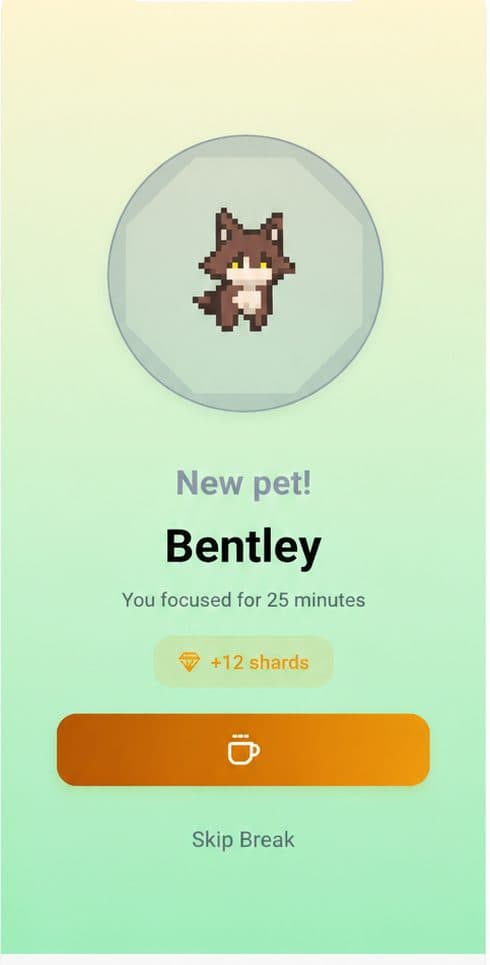
Nurrow covers that other half. Each completed session earns a chance at an egg, builds your streak, and moves a pet you're raising forward, all things that give you a reason to start the next session instead of just a rule stopping you from doing something else. A workable setup on iPhone looks like: a Screen Time schedule handling the broad, all-day restrictions on categories you don't want tempting you at all, and Nurrow handling the focused, deliberate sessions where you actually want a website blocklist active and a reward waiting at the end.
Notifications During a Focus Session
When a session is running, Nurrow keeps its own countdown visible so you can check remaining time without opening the app and risking a detour into something else. What it can't do, because no third-party app on iOS can, is silence every other app's notifications for you. That's Apple's job, through the iPhone's own Focus mode.
The two pair naturally. Turn on a Focus mode, iOS's built-in Do Not Disturb-style setting, before starting a Nurrow session, and the incoming texts, app pings, and social notifications that would otherwise pull your eyes to the lock screen stay quiet for the length of the session, while Nurrow's own timer and session state keep running underneath it.
Widgets on the Home and Lock Screen
iOS widgets aren't the same technology as Android's. Apple's WidgetKit runs on scheduled timeline refreshes rather than a live, continuously ticking view, which is part of why you don't see widgets with a smoothly counting-down number the way you might on Android. A Nurrow widget on iPhone's home or lock screen is a realistic thing to build within that constraint, showing a snapshot like your current streak or your pet's mood that refreshes periodically, rather than a second-by-second timer. It's a smaller promise than a live countdown, but it's the honest version of what an iOS widget can actually do.
Installing Nurrow From the App Store
Nurrow has a live App Store listing today under the bundle ID app.nurrow.mobile, the same way any other app you've downloaded got onto your phone. Search "Nurrow" in the App Store, tap Get, and you can be inside your first focus session within a couple of minutes, no sideloading, no developer settings, no waitlist.
The App Store listing also shows what subscribing actually costs, since Apple requires that pricing to be visible before you buy anything. Nurrow is free to start, with no account required to begin: the core timer, website blocklist, Deep Work mode, and base pet collection all work without paying. On top of that, three optional paths are shown in the app:
- Caretaker: a $3.99 monthly subscription that unlocks extras like faster hatching and exclusive pets for as long as it's active
- Guardian: the same subscription billed yearly instead of monthly
- Forever Forager: a one-time $49.99 purchase that unlocks everything permanently, with nothing recurring afterward
None of the three change how sessions or blocking work. They only affect the pace of the collection layer, so you can decide after using the free version for a while whether that's worth paying for at all.
Keep Exploring
Frequently Asked Questions
Does Nurrow replace Apple's Screen Time?
No, and it isn't trying to. Screen Time is Apple's own system-level tool for App Limits, Downtime, and Communication Limits, and it can reach further into your phone than any third-party app is allowed to. Nurrow handles the part Screen Time doesn't: a session-based blocklist for specific websites while you're actively focusing, plus a reward loop of eggs, pets, and streaks that gives you a reason to keep starting sessions. Most people get the most out of running both at once, not picking one over the other.
Do I need to grant Screen Time or Family Controls permission for Nurrow to work?
No. Nurrow's core timer, session tracking, and pet collection work without any Screen Time or Family Controls permission at all. Those permissions only come into play for deeper, system-level restrictions that Apple reserves for its own framework, which is a separate layer from the website blocklist Nurrow manages during a session.
What do the Caretaker, Guardian, and Forever Forager options actually unlock?
Caretaker is a $3.99 monthly subscription and Guardian is the yearly version of the same subscription, both unlocking ongoing extras like faster hatching and exclusive pets for as long as you're subscribed. Forever Forager is a one-time $49.99 purchase that unlocks everything permanently, no recurring payment, ever again. None of the three are required. Nurrow's timer, website blocking, and base pet collection are free to start, with no account needed to begin.
Does Nurrow work on iPad, or just iPhone?
Yes. Nurrow's App Store listing runs on iPad the same way it does on iPhone, since it's built as a universal iOS app rather than a phone-only release. Sessions, blocking, and your pet collection behave identically regardless of which device you're using.
Will I get a security warning installing Nurrow on iPhone the way I might on Windows?
No. That kind of warning is specific to unsigned desktop software running outside an app store's review process. Nurrow's iPhone app is downloaded through Apple's own App Store, reviewed under Apple's guidelines like any other listed app, so there's no separate warning or extra step involved in installing it.
Ready to Start Focusing?
Nurrow is free to start, with no account required to begin. Download it today and put your next focus session to work.