Why Nurrow Is the Best Focus App for Students on a Real Schedule
College and high school don't hand you tidy eight-hour workdays. You get a 40-minute gap between classes, a dorm room with three roommates and a group chat that never sleeps, a library that's quiet until it isn't, and a syllabus that stacks readings, problem sets, and group projects on top of each other without asking if you're ready. Most focus apps are built for someone at a desk from 9 to 5. Nurrow was built to fit into whatever gaps a student actually has, and to give you a reason to use those gaps instead of losing them to a phone.
If you're weighing whether a focus app is worth adding to your routine at all, here's the honest case for Nurrow specifically: what it blocks, what it rewards, and where it fits across the different kinds of studying a term actually asks of you.
The Same App Across Very Different Study Situations
Studying isn't one activity, it's several, and they don't need the same tool in the same way every time:
- Reviewing lecture notes between classes. A short 25-minute session fits in a passing period without feeling like a chore. You block the group chat, skim through what you just heard while it's fresh, and you're done before the next class starts.
- Group project deadlines. Everyone on the team opens their own session at the same time, so nobody's phone is quietly pulling them into a different app while the rest of the group is heads-down on their part.
- Exam cramming. Longer sessions, sometimes with Deep Work Mode on, for the stretch of review that needs real uninterrupted hours rather than short bursts.
- Library and dorm distractions. The library is quiet, but your phone doesn't know that. The dorm has people walking in and out, but your blocklist doesn't care where you're sitting. Either way, the same session structure applies.
One app, one timer, one pet you're raising across all of it, instead of switching tools depending on which kind of studying you're doing that day.
Why Not Just Use Phone Do Not Disturb?
Do Not Disturb is free and already on your phone, so it's a fair question. The honest answer is that it does one thing: it silences notifications. It doesn't stop you from opening the app yourself. Nothing is actually blocked, so the moment you get bored or stuck on a problem, the temptation is still one tap away, and DND has no answer for that.
Nurrow's blocklist makes the distracting sites and apps genuinely unreachable for the length of your session, with a safety phrase standing between you and quitting on impulse. Deep Work Mode goes further and blocks everything except an allowlist you set yourself. That's a real barrier, not a suppressed notification badge you can swipe away.
The other piece DND can't offer is a reason to come back tomorrow. Turning your phone's settings off and on gives you nothing to show for the session once it's over. Nurrow gives you an egg, a bit of progress on a pet, and a streak that's visibly building, so finishing a study block feels like something happened instead of just being an absence of notifications for a while.
Gamification That Doesn't Get in the Way of Studying
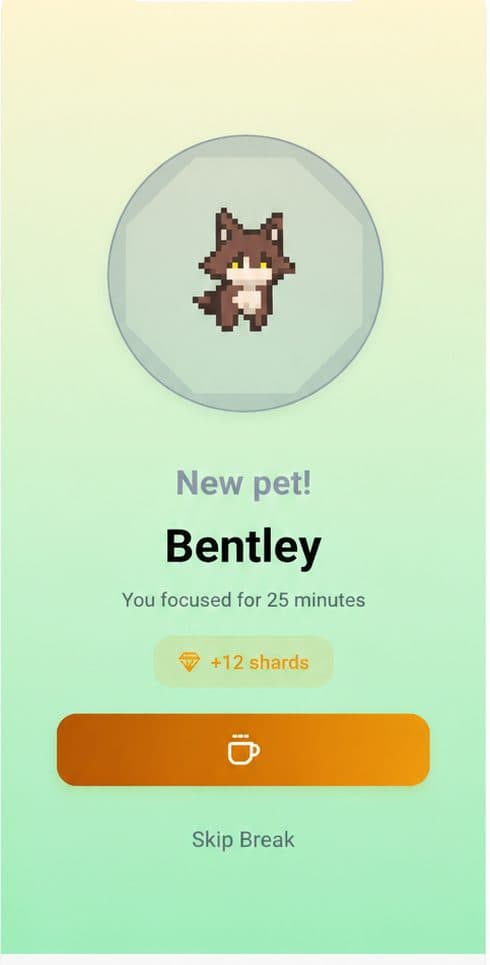
Nurrow's pet collection system runs in the background of whatever you're actually doing. Complete a session, earn a chance at an egg drop, hatch it later into one of over 100 pets. Build a daily streak and hit milestones for shard bonuses you can spend on more pets or faster hatching. None of it requires attention while you're working: the game happens between sessions, not during them, so it never competes with your actual assignment for focus.
Stats That Show a Term, Not Just a Day
Nurrow also tracks your focus time by day, week, and month, plus a history of past sessions. Over the course of a semester, that turns into a picture of how your study habits actually shift around midterms, deadlines, and finals, which is a lot more useful than trying to remember whether last week was better or worse than this one.
Built for Student Budgets
Students are, understandably, wary of another app asking for a credit card before they've even tried it. Nurrow is free to start, with no account required to begin. You can run real focus sessions, block distracting sites, and start collecting pets without paying anything or signing up for anything. A premium subscription exists for people who want extras like faster hatching and exclusive pets, but it's an optional add-on, not a gate in front of the features that actually help you study.
A Term Full of Different Study Days
Some days you've got 40 minutes between classes and just need to review notes. Some days it's a group project crunch and you need everyone off their phones at once. Some days it's the week before finals and you need six uninterrupted hours in the library. Nurrow doesn't ask you to pick one mode and stick with it all term. Short sessions, long sessions, solo or alongside your study group: the same blocklist, the same timer, and the same pet you're building keep working across all of it.
Keep Exploring
Frequently Asked Questions
Will Nurrow help me get through finals week?
Yes, that's when a lot of students get the most out of it. During finals, cramming sessions tend to be long and unstructured, which is exactly when a blocklist and a timer earn their keep. Set a longer session, let Deep Work Mode shut off the rest of the internet, and use the streak counter to keep yourself moving across multiple days of review instead of one all-nighter.
Does Nurrow work for group study or only solo sessions?
Nurrow tracks focus per device, so it's built around your own sessions rather than a shared group timer. That said, plenty of students use it during group study: everyone starts their own session on their own phone or laptop at the same time, which keeps the group from drifting into chatting instead of working. It won't coordinate the group for you, but it keeps your own attention in the room.
Can I use Nurrow on my laptop while I'm in the library, or is it phone-only?
Nurrow's mobile app is available now for Android and iPhone. A desktop app for Windows and macOS, plus a browser extension, is coming soon for laptop-based studying. Until then, the mobile app works well for library sessions if you keep your phone (the biggest distraction source for most students) next to your notes instead of in your pocket.
I only have short gaps between classes. Is Nurrow still worth it?
That's actually a common way students use it. You don't need a two-hour block to get value out of a focus session. A 25-minute timer between classes is enough to review the last lecture's notes or knock out a reading before the next one starts, and it still counts toward your streak and earns you an egg.
Does it cost anything to try?
Nurrow is free to start, with no account and no credit card required to begin studying with it. A premium subscription is optional and unlocks extras like faster hatching and exclusive pets, but the core timer, blocking, and pet system work without paying for anything.
Ready to Start Focusing?
Nurrow is free to start, with no account required to begin. Download it today and put your next focus session to work.