A study timer app built around how school actually works
Studying doesn't happen in one tidy block. It happens in the forty-five minutes between classes, the hour after dinner before you're too tired to think, and the stretch the night before an exam when you're trying to cover three chapters you should have read weeks ago. A generic countdown timer doesn't care about any of that. Nurrow is a study timer app that fits the shape of a real school schedule: short modes for squeezing in review between classes, longer modes for problem sets that need momentum, and a statistics screen that shows you what actually happened over the course of a term instead of what you meant to do.
Match the timer mode to the work, not the other way around
Not all studying takes the same shape, so Nurrow doesn't force it into one. There are five built-in modes, and a custom option if none of them fit:
- Quick (15/3): a fast pass to reread a chapter or run through flashcards between classes, when you don't have a full free period.
- Pomodoro (25/5): the default for reading, vocabulary, note review, or anything you can chip away at in short, repeatable bursts.
- Duo (50/10): built for problem sets, practice exams, and essay drafts, work that takes a few minutes just to load into your head before you're actually productive.
- DeskTime (52/17): a longer work block with a proportionally longer break, useful for lab reports or reading that runs long but still needs a real recovery period.
- Ultradian (90/20): a full study block for exam prep when you need to get deep into a subject and stay there.
You can also set a custom work and break length between 1 and 180 minutes, in case a specific class or assignment needs something the presets don't cover.
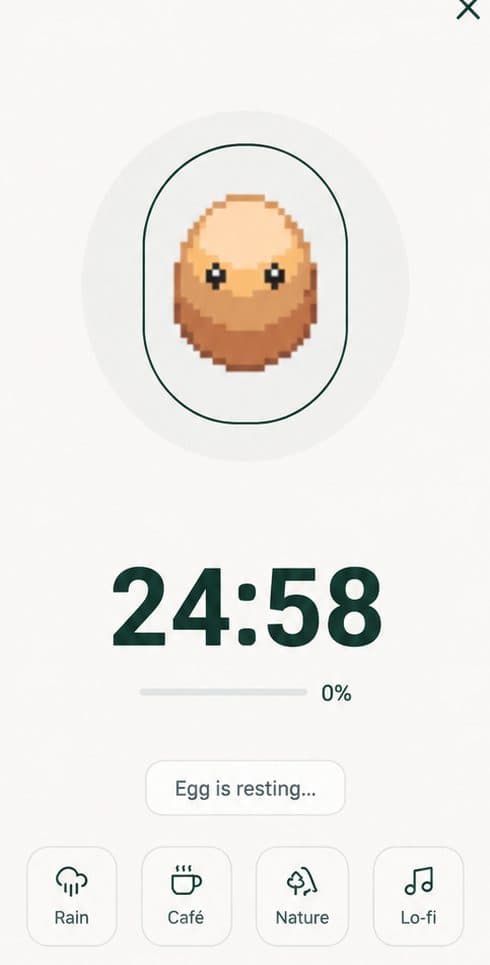
The night-before-the-exam scenario
Say it's 8 p.m. and you have an exam at 9 a.m. tomorrow. You've got three chapters to review and one practice problem set to get through. Here's what that looks like with Nurrow:
You open the app and start with a Pomodoro block for the first chapter review, since reading and re-reading notes goes better in shorter, focused chunks. Before you tap start, you turn on website blocking for the sites you know will pull you away, social feeds, group chats, whatever tends to eat your evening. The block stays on for the length of the session, so there's no mid-review detour to "just check one thing."
After two Pomodoro rounds get the reading done, you switch to a Duo session (50 minutes) for the practice problem set, since problems need a longer runway than a quick flashcard pass. When the timer ends, you check the statistics screen: it shows two hours and twenty minutes logged for the evening, split across the two timer modes you used. That's useful information the night before an exam, it tells you plainly whether you actually put in the time or just felt busy.
Reading your study stats instead of guessing
The statistics screen is where the timer earns its keep beyond a single session. It logs your focus time by day, week, and month, plus a breakdown of which timer modes you've been using. Over a school term, that turns into a record you can actually check against: did your study time hold steady through midterms, or did it fall off in the weeks before finals when you needed it most? Did you lean on Quick sessions all semester and never once sit down for a full Ultradian block before a big exam? The data answers questions your memory won't.
Streaks that survive a school schedule
A daily streak sounds simple until you hit a weekend with no homework or a week where every class assigns something at once. Nurrow's streak tracking rewards consistency across a term rather than punishing you for a schedule that isn't uniform, and hitting milestones (7, 14, 30 days and beyond) earns shard bonuses you can put toward the pet-collection side of the app. It's a small thing, but it gives an otherwise invisible habit, showing up to study most days, something to point at.
Why the reward loop matters for studying specifically
Studying rarely has an immediate payoff. You don't see the result of tonight's review until a grade shows up days or weeks later, which makes it easy to put off. Nurrow shortens that gap: longer focus sessions have a higher chance of dropping an egg you can hatch into a pet, so finishing a study block gives you something to check on right away, not just a vague sense that you probably should have studied. It's not a substitute for actually knowing the material, but it's a nudge that makes starting the next session easier than skipping it. If you want the full rundown of how the timer, blocking, and pet system fit together, see how Nurrow works on the homepage.
Getting started before your next class
Pick a timer mode that matches what's in front of you, not whatever you used last time. Reading and review lean short. Problem sets and essays lean long. Turn on blocking for whatever usually derails you, and check the stats screen afterward so the next study session starts with actual information instead of a guess about how much time you have left before the exam.
Keep Exploring
Frequently Asked Questions
How long should a study session be?
It depends on the material. For reading and review, 25 minutes is usually enough to stay sharp without your attention drifting. For problem sets, essays, or anything that takes time to get into, a 50-minute or 90-minute block gives you room to actually settle in before you have to stop. Nurrow's timer modes cover both ends, so you can match the length to the task instead of using one setting for everything.
What should I do during study breaks?
Get up. Stretch, refill your water, look at something that isn't your notes. Nurrow's break timer runs automatically after each work block, so you don't have to watch the clock, it just tells you when the break starts and when it's time to get back in. The point of the break is to actually rest for a minute, not to check your phone and lose ten minutes to a feed.
Can I use a study timer for cramming the night before an exam?
Yes, though shorter blocks tend to work better than one long marathon session when you're tired and trying to cover a lot of ground. A string of focused 25 or 50-minute blocks with real breaks between them will usually get you through more material than one unbroken stretch, since your recall holds up better when you're not running on fumes.
Does Nurrow track how much I've studied over a semester?
Yes. The statistics screen logs your session history and totals focus time by day, week, and month, so you can see how your study time adds up across a term instead of just guessing. It also shows which timer modes you use most, which is a useful check if you suspect you're relying too much on short sessions right before deadlines.
Do I need an account to use the study timer?
No. Nurrow is free to start, with no account required to begin. You can start running timed study sessions right away; an optional premium subscription exists later on if you want extras like faster hatching, but it isn't required to use the timer or blocking features.
Ready to Start Focusing?
Nurrow is free to start, with no account required to begin. Download it today and put your next focus session to work.