A Phone Addiction App That Works by Removing the Option, Not Fighting Willpower
You sit down to work, and forty minutes later you're three scrolls deep into something you don't even remember opening. That's not a willpower problem in the way it feels like one. Compulsive checking is fast, automatic, and happens before the part of your brain that wants to focus even gets a vote. Telling yourself "just don't open it" rarely wins against a habit that's already running on autopilot.
What actually works more reliably is removing the option entirely, at least for a defined stretch of time. If a site isn't reachable, there's nothing to resist in the moment, because the decision already got made earlier, when you were calm and had a plan. That's the whole idea behind Nurrow: it's a focus app that pairs a website blocklist with a reward loop, so the friction against compulsive use isn't something you have to enforce moment to moment.
Signs This Might Be You
This isn't a diagnostic checklist, just a few patterns that tend to show up when a site or app has become the default reflex instead of a choice:
- You open a site the second you're bored, before you've even registered feeling bored.
- You type a URL or tap an icon out of habit while a page is still loading, without deciding to.
- You look up from your phone and can't account for the last fifteen minutes.
- You've tried closing a tab and reopened it within seconds, more than once in the same sitting.
- You feel a small flicker of dread or guilt after a scrolling session, but do it again the next time you're stuck on something hard.
If a few of those sound familiar, you're not broken, and you're definitely not alone. It just means friction is probably going to help more than another reminder app or another attempt at sheer resolve.
How the Website Blocklist Works
Before you start a focus session, you add the sites that pull you away most, in your browser, on your own list. For a lot of people that's instagram.com, tiktok.com, reddit.com, and x.com, but it's entirely up to you: any site you find yourself checking compulsively can go on it. Once the session starts, those sites are simply unreachable in your browser until it ends. To be specific: this is a website blocklist that runs during a browser-based focus session. It doesn't force-quit native apps on your phone and it can't lock your device system-wide. If you're trying to cut down on app use specifically, Apple Screen Time and Android Digital Wellbeing are built for that and are worth pairing with Nurrow rather than expecting one tool to do both jobs.
The point of the blocklist isn't punishment, it's removing the split-second decision. You don't need to summon the willpower to close the tab, because there's no tab to open in the first place.
The Safety Phrase: Friction Against Impulsive Unblocking
A blocklist only works if it's actually hard to override in the heat of the moment. Nurrow adds one more layer: a safety phrase you write for yourself ahead of time. If you try to unblock a site mid-session, you have to type that phrase out in full before it unlocks. It sounds small, but that few seconds of typing is enough to break the automatic reach and force an actual decision, made by the version of you that's thinking clearly, not the version that's bored and reaching for a dopamine hit.
Deep Work Mode: More Friction for Harder Days
Some days a normal blocklist isn't enough, especially if the compulsive pull isn't limited to two or three familiar sites. Deep Work mode flips the approach: instead of blocking a list of known problem sites, it locks down all browsing except a short allowlist of sites you've approved in advance, like your research tool, your school portal, or your work docs. Everything else is off-limits by default. It's a stricter website-level lock, meant for the sessions where you know a narrower list is going to block a wider blocklist would still miss.
How These Pieces Fit Together
None of these tools work by themselves as well as they do combined. The blocklist removes the easy option. The safety phrase makes the hard option (typing out a phrase to undo that) annoying enough to interrupt autopilot. Deep Work mode is there for when a curated list of sites isn't strict enough and you need almost everything off except what you actually approved. Layered together, they cover the moment-to-moment reflex, the impulsive override, and the worst-case day, without ever asking you to just try harder.
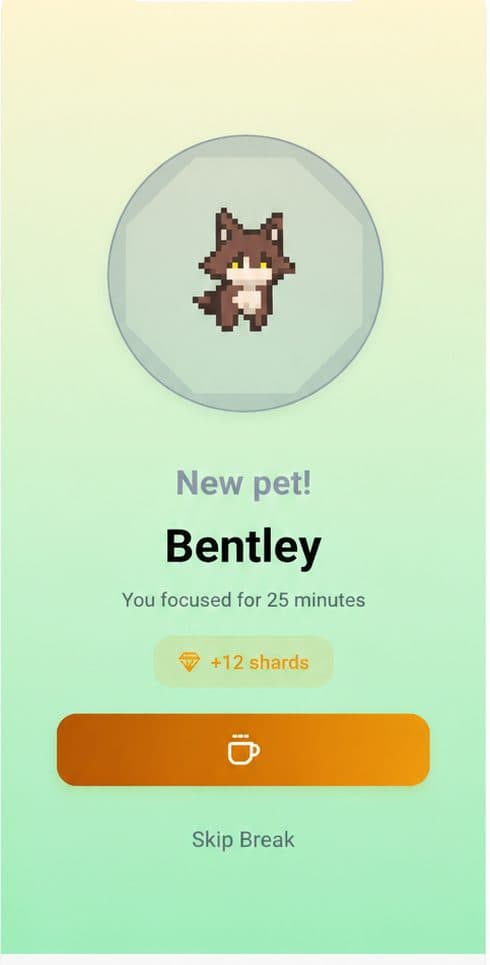
And because Nurrow pairs that friction with a small reward at the end of each session (an egg, a bit of progress on a pet you're raising) sessions don't just feel like deprivation. There's something to show for the time on the other side of it, which makes it easier to choose the blocklist again tomorrow instead of white-knuckling through it once and giving up.
What This Tool Isn't
Nurrow is a friction tool for a browser-based focus habit, not a clinical intervention. It doesn't diagnose or treat internet or phone addiction, and it isn't a substitute for professional support. If phone use is seriously affecting your sleep, work, relationships, or overall wellbeing, please talk to a doctor or therapist about it. Nurrow can make the next focus session easier to protect, but it isn't equipped to handle something that goes deeper than that, and it was never meant to.
Nurrow is free to start, with no account required to begin. An optional premium subscription unlocks extras like faster hatching and exclusive pets if you want them, but the blocklist, the safety phrase, and Deep Work mode are there from the first session.
Keep Exploring
Frequently Asked Questions
Does Nurrow block apps, or just websites?
Just websites, in your browser, during an active focus session. Nurrow can't force-quit or lock native apps system-wide on iOS or Android, that's a job for Apple Screen Time or Android Digital Wellbeing, not Nurrow. What Nurrow can do is make sites like instagram.com, tiktok.com, reddit.com, or x.com unreachable in your browser for the length of a session, which covers a lot of the reflexive 'just checking' moments that happen while you're already at your laptop.
What stops me from just turning the blocklist off?
A safety phrase. When you try to unblock a site mid-session, Nurrow asks you to type out a short phrase you set for yourself ahead of time. It's a small delay, but it's enough to interrupt an impulsive reach for a site and give you a second to decide if you actually want to stop, instead of doing it on autopilot.
What's the difference between a normal session and Deep Work mode?
A normal focus session blocks whatever sites you've added to your blocklist. Deep Work mode flips that around: it locks all browsing except an allowlist you've approved in advance, so instead of blocking a handful of known problem sites, it blocks everything except the few you actually need. It's meant for the days when a regular blocklist isn't enough friction.
Is this a real fix for phone addiction?
Nurrow is a friction tool, not a diagnosis or a treatment. It makes compulsive browsing harder to fall into during the time you've set aside to focus, and for a lot of people that's genuinely useful. But if phone or internet use is seriously affecting your sleep, work, relationships, or wellbeing, that's worth bringing to a doctor or therapist. Nurrow is meant to sit alongside that kind of support, not replace it.
Do I need a premium subscription for the blocklist to work?
No. The website blocklist and Deep Work mode are available free to start, with no account required to begin. An optional premium subscription unlocks extras like faster hatching and exclusive pets, but the friction tools themselves aren't locked behind it.
Ready to Start Focusing?
Nurrow is free to start, with no account required to begin. Download it today and put your next focus session to work.