How to Block YouTube Without Quitting It Forever
By Aaron Wakely, Nurrow founder · August 9, 2026
YouTube is engineered to be the easiest possible next thing to do, which is exactly why "I'll just watch one video" costs people more study and work hours than almost any other site. The goal here isn't to quit YouTube, it's to make it unavailable during the hours that matter and fully available the rest of the time. Here's the honest playbook, phone first, since that's where most of the watching happens.
Step 1: Block the Website During Focus Sessions
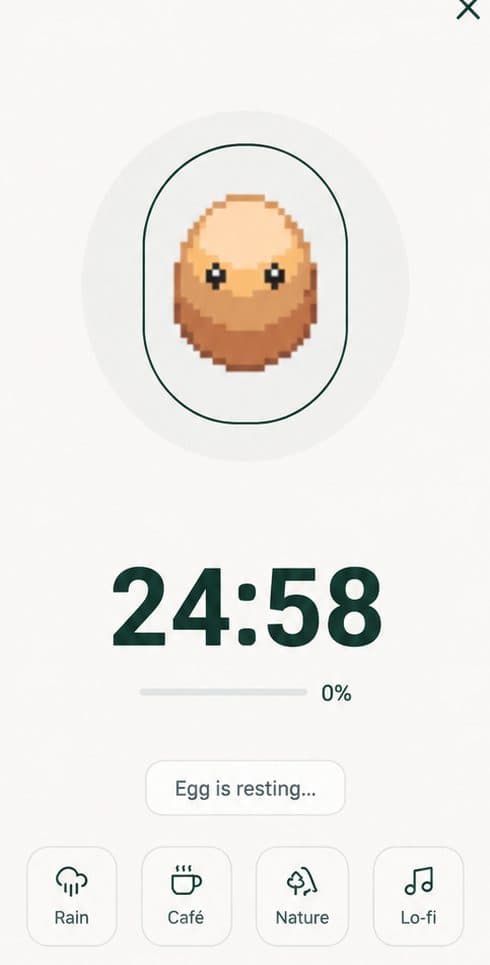
The core move is session-based blocking: youtube.com is reachable normally, but during a deliberate focus session it simply doesn't load. In Nurrow (free on Android and iPhone, no account required), you add youtube.com to your blocklist once, and every focus session you start makes it unreachable until the timer ends. Finishing the session earns egg and pet progress, so there's a payoff for the block holding, and ending early costs you that progress and threatens your streak, which is the friction that stops the reflex-unblock problem.
Step 2: Close the App Door With Built-In Tools
On phones, the YouTube app matters more than the website, and the most reliable way to limit an app is the operating system itself:
- Android: Settings → Digital Wellbeing → set an app timer for YouTube. When the budget runs out, the app pauses for the rest of the day.
- iPhone: Settings → Screen Time → App Limits → add YouTube. Pair it with Downtime for evenings if night watching is the problem.
- In YouTube's own settings, turn off autoplay and enable its built-in "Remind me to take a break" timer. They're soft tools, but they break the chain that makes one video become five.
Step 3: Handle the Desktop Honestly
Nurrow is a mobile app today (desktop support is planned but not out yet), so on a computer the honest recommendation is other tools: browser extensions like StayFocusd give YouTube a daily time budget in Chrome, and dedicated desktop blockers like Cold Turkey or Freedom can lock it out entirely during work hours. If most of your YouTube time is on your phone, though, start there; blocking the desktop while the phone sits unblocked next to your keyboard fixes the wrong door first.
Why Session Blocking Beats Cold-Turkey Quitting
Total bans fail for a boring reason: YouTube is genuinely useful, for tutorials, lectures, music, and the moment a permanent block gets in the way of something legitimate, it gets removed and stays removed. Session blocking sidesteps that whole cycle. The rule isn't "never YouTube," it's "not during this hour," which is small enough to keep every day. Stack a reward on top of the kept rule, the way Nurrow's streaks and pet collection do, and the blocked hours start being the ones you look forward to. For the same approach applied to your whole phone, see our phone addiction guide.
Keep Exploring
Frequently Asked Questions
Should I block YouTube permanently or just during work?
For most people, session-based blocking wins long-term. Permanent blocks tend to get torn down the first weekend you legitimately want a video, and once removed, they rarely go back up. Blocking YouTube only during defined focus sessions keeps the rule small enough to actually keep: YouTube isn't forbidden, it's just not available while the timer runs.
Does Nurrow block the YouTube app or just the website?
Nurrow blocks websites: add youtube.com to your blocklist and it's unreachable in the browser during your focus sessions. The YouTube app itself is a separate door, and the honest fix there is your phone's built-in tools, an app timer via Digital Wellbeing on Android or an App Limit via Screen Time on iPhone, running alongside your Nurrow sessions. The combination covers both routes in.
How do I stop watching YouTube at night?
Night scrolling usually isn't about YouTube being available, it's about nothing stopping the autoplay chain. Two things help more than any single block: set your phone's downtime or bedtime mode so the app locks after a set hour, and turn off autoplay in YouTube's own settings so each video ends with a decision instead of another video. A block you set at 11pm in a moment of resolve rarely survives 11:45 without that structural help.
What about blocking YouTube Shorts specifically?
Shorts is the most compulsive surface of YouTube, and there's no official switch to remove it entirely. The practical options: don't tap into the Shorts shelf (long-press a Short and choose 'Not interested' to thin the feed), use app limits so the whole app closes after your budget, or block youtube.com during focus sessions so the browser route is closed while you work. Some third-party tools claim Shorts-only blocking, but they depend on fragile workarounds that break with app updates.
Won't I just unblock it when I want to procrastinate?
If unblocking is one tap, yes, most people do. That's why friction placement matters more than block strength. In Nurrow, quitting a session early costs you that session's egg progress and threatens your streak, so the impulse has a price you actually feel. It doesn't make quitting impossible, it makes it a real decision instead of a reflex.
Ready to Start Focusing?
Nurrow is free to start, with no account required to begin. Download it today and put your next focus session to work.