Back to School Study Apps That Are Actually Worth Installing
By Aaron Wakely, Nurrow founder · August 9, 2026
Every new school year starts the same way: fresh notebooks, big intentions, and a phone full of productivity apps that are forgotten by Thanksgiving. This list is deliberately short. One app per job, honest notes on what each is for, and a few habits that matter more than any of the apps do. Full disclosure up front: Nurrow is ours, so weigh that section accordingly.
First, the Habits the Apps Are For
Apps don't study; they make good habits cheaper to keep. Three that pay for themselves all year:
- Study in defined blocks with real breaks, rather than vague open-ended sessions. Even 25 minutes fully protected beats two hours of half-attention. (The classic version of this is the Pomodoro Technique.)
- Make the distracting sites unreachable during those blocks instead of relying on willpower, so each temptation is a dead end rather than a negotiation.
- Review material in spaced intervals across the term instead of cramming it once before the exam. It's the single most evidence-backed studying change most students can make.
For Focus Blocks: Nurrow
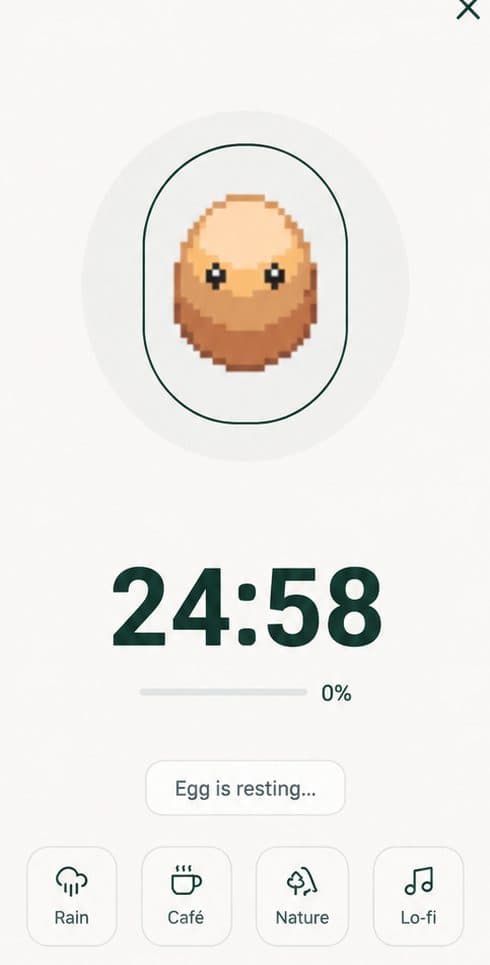
Nurrow handles the first two habits at once: start a session and the sites on your blocklist stop loading until it ends, with a stricter allowlist-only Deep Work mode for exam crunch. What makes it stick through a full term is the reward loop, since finished sessions earn eggs that hatch into a collection of 100+ pets, and your streak builds day over day, which gives you a reason to show up on the days motivation doesn't. It's free to start on Android and iOS with no account required, and since your phone is usually the biggest study distraction anyway, keeping it locked into a session next to your notes does most of the work. If you want the student-specific details, see Best Focus App for Students.
For Memorization: Anki
Anki is the unglamorous king of flashcards: free and open-source on desktop and Android (the official iOS app is a paid one-time purchase), with a spaced-repetition scheduler that shows you each card right around the time you'd otherwise forget it. It's the best tool on this list for vocabulary, anatomy, law, history dates, anything memorization-heavy. The honest downside is that it looks dated and has a learning curve; the honest upside is that it works better than the prettier alternatives, and decks you build in September compound in value all year.
For Tasks Plus Timer in One Place: Focus To-Do
If your real problem is juggling assignments across courses, Focus To-Do combines a Pomodoro timer with a built-in task list, so "what am I working on" and "start working on it" live in the same app. It has no reward system and its blocking is lighter than a dedicated blocker, but for students whose bottleneck is organization rather than distraction, it's the right shape. We compare it with Nurrow directly in our Focus To-Do comparison.
For Not Missing Deadlines: Google Calendar
Boring, free, and more important than any study app: put every lecture, deadline, and exam into a calendar in week one, with reminders. Google Calendar (or Apple's, or Outlook, whichever your school ecosystem favors) is enough; a dedicated student planner app is optional on top. The app matters far less than the habit of entering things the moment you learn about them.
The Setup That Takes 20 Minutes
- Put your class schedule and every known deadline in your calendar.
- Install one focus app and build your blocklist now, before you need it, with the sites you already know are your weakness.
- If your courses involve memorization, create one flashcard deck per course while the material is still easy.
- Do one short, protected study session in week one. Starting the streak early is easier than starting it during midterms.
Keep Exploring
Frequently Asked Questions
How many study apps do I actually need?
Fewer than you think. One app per job is plenty: something for focused study blocks, something for memorization if your courses need it, and a calendar. Installing five productivity apps in September is itself a form of procrastination, and most of them are abandoned by October. Pick one per category, use them for a few weeks, and only swap if something genuinely isn't working.
When should I set up my study system for the new school year?
Before the workload arrives, ideally in the first week or two of term while the stakes are low. Setting up a blocklist, a flashcard routine, or a calendar takes twenty minutes when you're calm and feels impossible during midterms. Early-term sessions also start your streak while it's easy, which makes the habit sturdier when things get busy.
Do study timers actually help with grades?
A timer doesn't teach you anything by itself, but it changes two things that show up in results: how often you start, and how uninterrupted the time is once you do. Structured sessions with real website blocking mean the hour you put in is closer to an actual hour of studying. Combine that with an evidence-backed method like spaced repetition and practice testing, and the timer is the scaffolding that makes the method happen consistently.
What's the best study app for someone who gets distracted easily?
Prioritize blocking plus a reason to finish, not features. A plain timer is easy to abandon because nothing happens when you quit. Nurrow's approach, blocking distracting sites during the session and rewarding completion with egg and pet progress, is aimed at exactly this profile. If your distraction is more phone-wide than browser-based, also lean on your phone's built-in Focus or Do Not Disturb modes during sessions.
Are free versions of these apps enough for a school year?
Usually, yes. Anki is entirely free on desktop and Android, Google Calendar is free, and Nurrow's core timer, blocking, and pet collection are free with no account required. Paid tiers mostly add convenience rather than anything a student strictly needs. Spend money on a study app only after its free tier has proven you'll actually use it.
Ready to Start Focusing?
Nurrow is free to start, with no account required to begin. Download it today and put your next focus session to work.